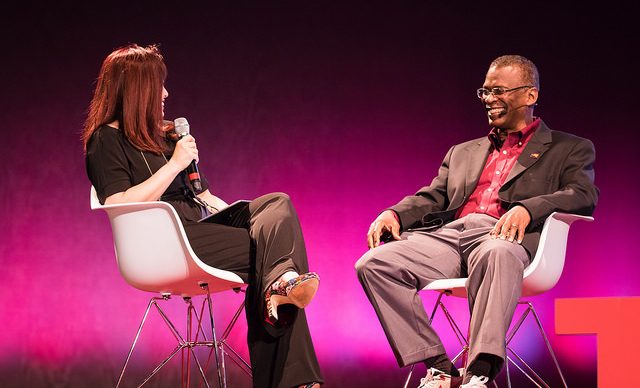
It is rarely possible to bring world class guest speakers in to school to lecture students about their chosen field of expertise. It is, however, easy to bring their ideas and their passions direct to your students through the superb online collection of TED Talks available here.
By the nature of our roles in school as curriculum teachers we often assume the position of ‘jack of all trades’ within our subject discipline. Whilst the strength of the teaching profession is to train teachers who have the ability to cover a real breadth of issues within our subject in line with contemporary examination curricula it can be at the detriment to being able to explore a topic in genuine depth.
The exception perhaps may be a niche subject area in which a teacher has had a job before converting to teaching, an area we happened to have studied at university or a real passion developed through independent research. Even then, we would still defer to the authoritative, passionate and well-informed TED Talks speakers who have inspired audiences around the world.
What is a TED Talk?
TED (Technology, Entertainment and Design) is an organisation that posts talks online, under their slogan of “ideas worth spreading”. They originated with a technology and design focus but have since spread their net further afield to include a broader range of cultural and academic content.
Speakers include Bill Gates, Richard Dawkins, Bono and many Nobel Prize winners. They have over 7,500 TED Talks freely available online on the website, but also social media and YouTube where the TED Talks channel features many of the best talks. For audio-only on the go, TED Audio Collective offers many talks as podcasts. There are also many long-form TED interviews.
What is a TED conference?
TED conferences are annual events, where some of the world’s leading thinkers and doers have explained or explored topics including global issues, politics, business, science, history, the future, literature and more.
What are TEDx Talks?
TEDx events are part of a grassroots initiative with thousands of events taking place annually. These are community-driven and locally organised, making it easier for anyone to attend a talk in person.
What might be of interest to educators?
- The most watched TED Talk of all time is an education one – international education advisor Ken Robinson’s ‘Do schools kill creativity?’ has been watched 50 million times
- The 25 Most Popular TED Talks of all time playlist has the most loved talks
- The TED-Ed videos section has a section that makes short video lessons which have been put together as collaborations between animators and educators
- The Playlists area of the TED website allows you to group talks by theme. One of the topics available in the drop down menu is ‘Education’ and when selected provides lots of talks directly relevant to a school setting such as 7 talks to make you love science, The importance of educating girls or Talks that explain difficult topics to kids
Some ideas and tips for using TED videos
- Most of the talks have subtitles (sometimes in over twenty languages), accessible via a small speech bubble in the bottom right of the talk
- To search for TED Talks either use the standard search function on the website or explore through their Topics page. I teach an A-Level Geography course on climate change and the TED Talks topic page for Climate Change is brilliant – 7 playlists, around 100 talks and a set of related articles underneath.
- Some talks are short (less than six minutes) and could easily form short segments of lessons. The longest are around 20 minutes and may be better used through a flipped learning context by getting students to watch clips at home and bringing the ensuing discussion in to class afterwards
- Watch a TED Talk and set a series of question on the content or use the content to initiate discussion on a school virtual learning environment
- Use TED Talks as extension material for the brightest or keenest in your class
- TED Talks are by their nature quite academic; careful selection of appropriate videos could, however, be accessible to anyone aged about 12 or over
- Where technology permits, allow students to watch the talks independently. This will allow the freedom and flexibility to stop and write notes, listen to sections again or pause to look in more detail at graphics or graphs
Final thoughts: TED Talks for the classroom
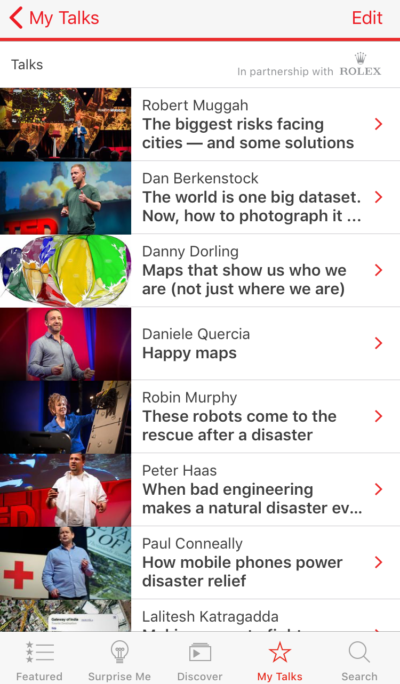
In 2017, I set my students and me a target of watching more TED Talks. I installed the TED Talks app, on my phone and downloaded a whole raft of talks that I could watch on the go when I had a spare few minutes – on the train, waiting for a bus, sitting in an airport lounge.
I enjoyed listening to experts in my subject area better informing me about their areas of expertise so that I could relay this to students. I set up a notes section on my phone so I could take screenshots of talks I enjoyed and write down important quotes or facts for later on when I needed them in teaching.
I also enjoyed the ‘Surprise Me’ section – which picks a random short talk on a different topic. This made me watch something I probably wouldn’t otherwise have chosen and gave me a whole new perspective on an array of different topics.
Surely, this is what a good education should be doing.